RGDPS MOD APK v2.2.144 Download for Android [Unlocked All]
Rgdps

100k Reviews

App Information

App NameRGDPS MOD APK
Versionv2.2.144
CategoryGames / Arcade / Rhythm Platformer
APK Size170MB
Based OnGeometry Dash 2.2
Developed ByRGDPS Team
Operating SystemAndroid 5.0 or higher
Last UpdatedSeptember 2026
PlatformAndroid (also runs on Android emulators)
Official Sitergdps.app
Mod FeaturesPrivate Server Access, Unlocked Icons and Colors, Custom Levels

Download RGDPS MOD APK v2.2.144 for Android (Latest Version)

RGDPS MOD APK is a modified Geometry Dash app that connects to the RGDPS private server. You can download RGDPS MOD APK v2.2.144 for free and play with extra content that the normal game does not give. It works on Android phones, tablets and Android emulators.

Players use RGDPS to try custom levels, unlock icons faster and join a busy community. This page covers the RGDPS APK download, install steps, features, safety tips, fixes for common errors and answers to the questions people ask most. We also have guides for RGDPS for iOS and How to use RGDPS.
What Is RGDPS? Geometry Dash Private Server

RGDPS stands for Geometry Dash Private Server. A private server is a separate server that copies how the official Geometry Dash server works. The normal game sends your data to RobTop’s servers. The RGDPS MOD APK sends it to the RGDPS server instead.

This means your account, scores, levels and rankings live in a different place. Your official Geometry Dash account is not touched. Progress also does not move between the two, so you start fresh on RGDPS.

The v2.2.144 build is made for the Geometry Dash 2.2 update. That update added a stronger editor, more triggers, new icons and better online tools, and RGDPS players can use all of it on the private server.

Note: RGDPS is a fan made project. It is not linked to RobTop Games. Want to play on iPhone? Read our RGDPS iOS guide. Not sure where to start? Follow our How to use RGDPS guide.

RGDPS MOD APK Features You Get in v2.2.144

Here is what makes the RGDPS MOD APK different from the standard game.

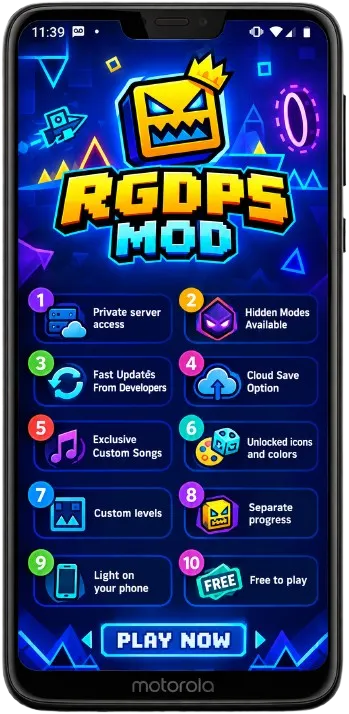
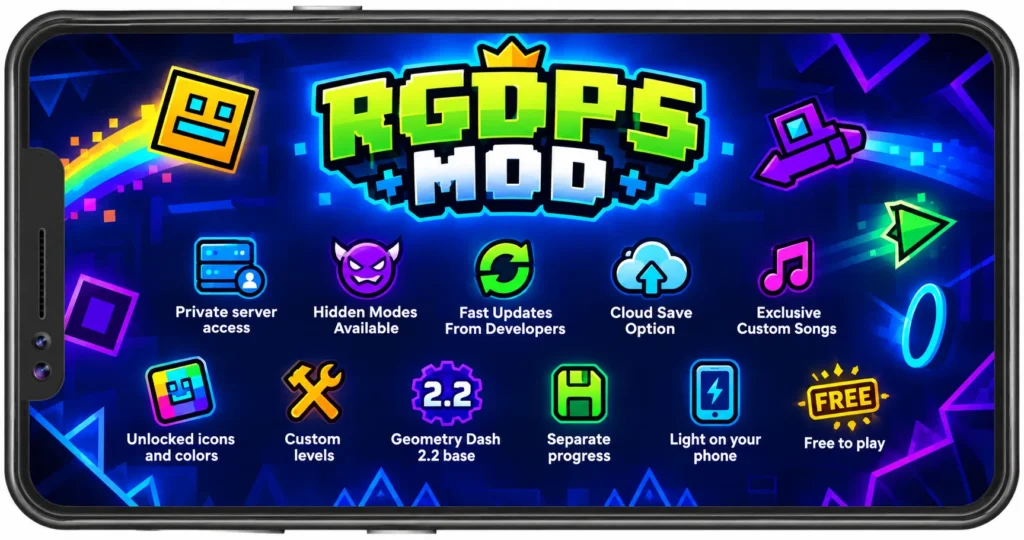
  • Private server access: Play on the RGDPS server with its own accounts, leaderboards and level list.
  • Hidden Modes Available: All Hidden Modes Available
  • Fast Updates From Developers: The Mod is Updated Fastly by developers.
  • Cloud Save Option: It will make it easy to save it in cloud.
  • Exclusive Custom Songs: Exclusive Custom Songs added in this new update
  • Unlocked icons and colors: Try cubes, ships, colors and trails without long grinding.
  • Custom levels: Play and share levels made by the RGDPS community.
  • Geometry Dash 2.2 base: Enjoy the newer editor, triggers and gameplay tools.
  • Separate progress: Your official Geometry Dash save stays safe.
  • Light on your phone: Runs on Android 5.0 and up, even on older devices.
  • Free to play: No payment, no subscription and no card needed.

RGDPS MOD APK vs Official Geometry Dash

Many players ask how RGDPS is different from the game on the Play Store. This table shows the main points.

PointRGDPS MOD APKOfficial Game
ServerRGDPS private serverRobTop official servers
AccountSeparate RGDPS accountOfficial Geometry Dash account
ProgressStarts fresh, no syncSaved to your official account
Level libraryCommunity levels on RGDPSOfficial rated levels and lists
PriceFreePaid on app stores
UpdatesManual, from our pageAutomatic from the store
Google PlayNot availableAvailable
SupportCommunity and our siteRobTop and store support

If you enjoy Geometry Dash, please buy the official game too. It supports the creator and gives you the main online experience.

RGDPS MOD APK Requirements

For Android Phones and Tablets

  • Operating system: Android 5.0 or higher
  • RAM: At least 2 GB for smooth play
  • Free space: At least 300 MB free
  • Internet: WiFi or mobile data to reach the server
  • Unknown sources: Allow installs from your browser or file manager

How to Download and Install RGDPS MOD APK on Android

Method 1: Direct APK Install

This is the fastest way. It takes about two minutes.

  • Open the Settings on your Android phone.
  • Go to Security or Apps and find “Install unknown apps”.
  • Allow your browser to install apps.
  • Come back to this page and tap “Download RGDPS MOD APK” at the top.
  • Wait for the download to finish.
  • Open your Downloads folder and tap the RGDPS.apk file.
  • Tap “Install” when the system asks.
  • Open the app from your home screen.
  • Done. You are ready to log in and play.

Method 2: Install with a File Manager

Use this method if you cannot find the file or if your browser blocks the install.

  • Download the APK from rgdps.app.
  • Open a file manager app such as Files by Google.
  • Go to Downloads and tap the APK file.
  • If Google Play Protect shows a message, read it and continue only if you got the file from our site.
  • Tap “Install” and wait a few seconds.
  • Open RGDPS and start playing.

How to Use RGDPS After Installing (First Login)

When you open the app for the first time, create a new account inside the game. Use a new username and a password you do not use anywhere else. Then log in and pick your icon, color and difficulty. For the full walkthrough with screenshots, read How to use RGDPS.

What’s New in RGDPS MOD APK v2.2.144

  • Updated to the v2.2.144 client build.
  • Better connection to the RGDPS server.
  • Smoother loading for levels and the online list.
  • Fewer crashes on older Android phones.
  • Improved icon and color menu.
  • Small fixes for login and account errors.

Is RGDPS MOD APK Safe? Tips Before You Install

Any modded app needs care. It is not approved by Google or RobTop Games, so you should protect yourself. These simple rules help a lot.

  • Download from rgdps.app only: Fake copies on other sites can hide malware.
  • Use a new password: Never reuse your email, social or official Geometry Dash password.
  • Keep your official game: Do not delete it if you care about your old progress.
  • Scan the file: Let Google Play Protect or a trusted security app check the APK.
  • Watch app permissions: A game does not need your contacts or messages.
  • Stay updated: Install new versions from our page to get fixes.

Common RGDPS Problems and Their Fixes

If something goes wrong, check the lists below. Most errors have a simple fix.

Problems

  • App will not install. You see a parse error or blocked message.
  • Login failed. The game says the account or password is wrong.
  • Server connection error. Levels and rankings do not load.
  • Black screen at launch. The app opens but shows nothing.
  • Game crashes when a level starts. It closes without warning.
  • Lag or low FPS. The game feels slow during play.

Solutions

  • App will not install: Allow unknown sources and check that you have Android 5.0 or higher and enough space.
  • Login failed: Check your username and password. RGDPS accounts are different from official accounts, so register a new one if needed.
  • Server connection error: Switch between WiFi and mobile data. Wait a few minutes in case the server is busy.
  • Black screen at launch: Close the app and open it again. If it stays black, remove it and install the newest version.
  • Game crashes when a level starts: Close other apps to free memory and restart your phone.
  • Lag or low FPS: Turn on low detail mode in the game settings and close background apps.
  • Still stuck? Write to us on our page at rgdps.app.

We are happy to help with any question. We want you to enjoy RGDPS without trouble.

RGDPS Tips for New Players

Quick Tips to Play Better

  • Use practice mode: Place checkpoints and learn the hard parts of a level.
  • Start with easy levels: Build timing before you try demon levels.
  • Play with sound on: The music beat helps you time each jump.
  • Turn on low detail mode: It helps on weak phones and cuts lag.
  • Join the community: Share your levels and get feedback from other players.
  • Take short breaks: Rest your eyes and thumbs to play better.

Frequently Asked Questions

Yes. RGDPS MOD APK v2.2.144 is free to download and play. You do not need to pay or add a card.

RGDPS stands for Geometry Dash Private Server. It is a fan run server that works like the official Geometry Dash server.

No. RGDPS uses its own server and its own accounts. Your official save is not changed. It is still smart to keep a backup of your device data.

This page is for Android. We are preparing a separate guide for iPhone users. Visit our RGDPS iOS page for details.

No. RGDPS accounts, friends and rankings are separate from the official game. You will need to add friends again on RGDPS.

Open the app, create a new account, log in and start playing. Our How to use RGDPS page explains each step.

Conclusion

RGDPS MOD APK v2.2.144 is a great way to enjoy Geometry Dash 2.2 on a private server. You get custom levels, unlocked content and a friendly community, all for free. Download the APK only from our official site, use a fresh password and keep your official game safe. If you love the game, buy the original too and support the creator.

Have an iPhone? Read our RGDPS iOS guide. New to private servers? Visit How to use RGDPS for a full walkthrough. Download RGDPS MOD APK now and jump into the action.

More Frequently Asked Questions

The file on rgdps.app is the one we offer, but modded apps are never approved by Google. Download only from our page, use a new password and scan the file before you open it.

No. It is not on the Play Store, so you need to install the APK by hand. It takes less than two minutes.

No. Root is not needed. You only need to allow installs from unknown sources.

You can run the Android APK on a PC with an Android emulator. Performance depends on your computer.

We update this page when a new client build is ready. Check back often to get the latest version.